Seamless.AI: Brand 3.0 Design System

Design Systems · AI Enablement
Project Overview
A B2B sales platform with four product teams shipping into one app. Brand 3.0 brought a new identity, and the design system carries it to every screen.
My Contributions
I own the system's strategy, architecture, and governance. I framed the rebrand options, fixed the agency's Brand 3.0 style guide and adapted it to our product, set up the spec workflow, and led the design org's AI adoption.
Role
Design systems & AI lead
Scope
4 product teams
Team
Me + 1 designer
Dates
2025 – present
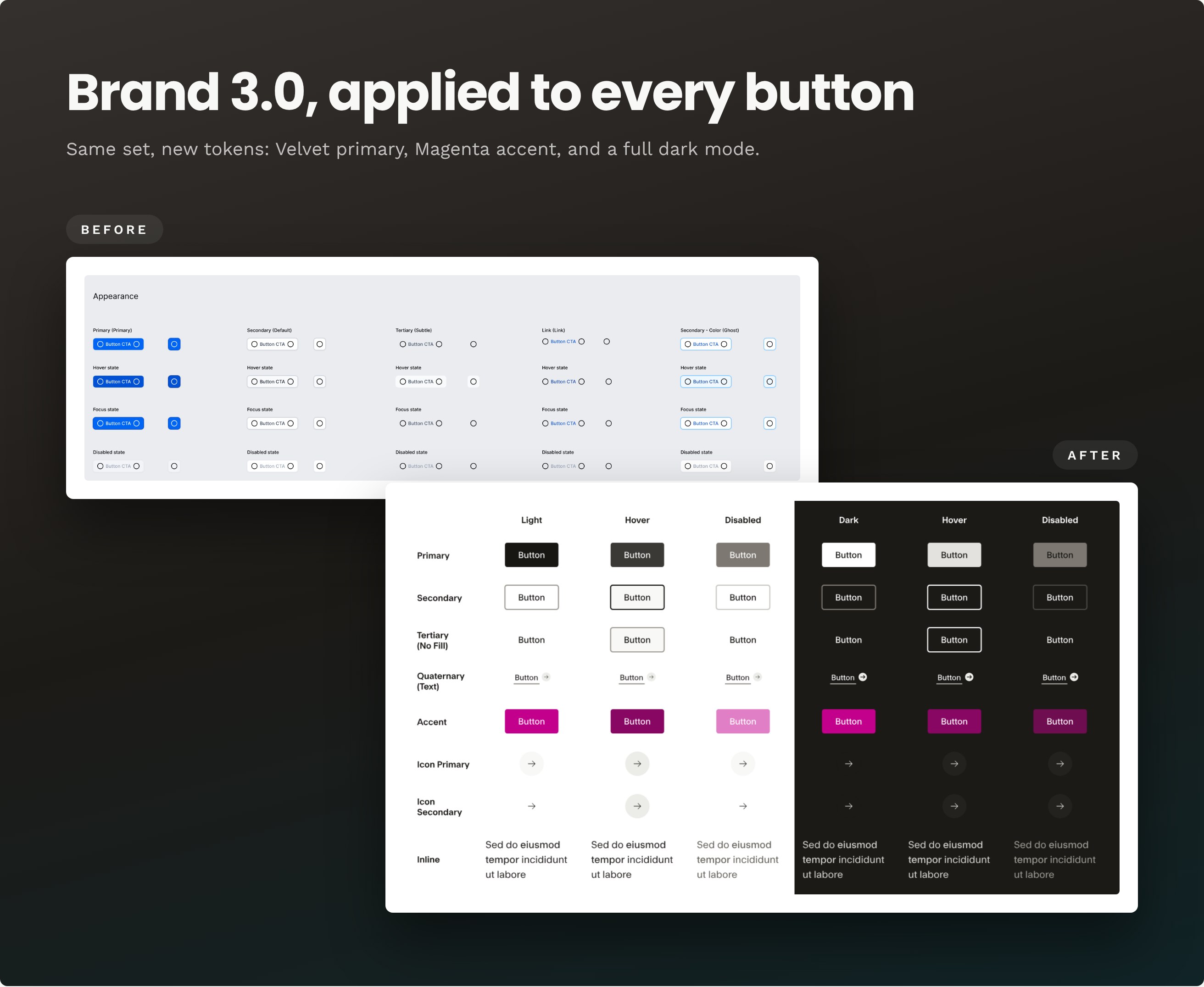
Before and after: the earlier blue button set and the Brand 3.0 buttons in light and dark mode
The challenge

A new brand, four teams, one product

Four product teams shared one platform, each with its own patterns. A rebrand only works if it looks the same everywhere: search, contacts, campaigns, and the AI agent.

Rebrand direction

Three options, framed for a decision

I mocked up three levels of change on real screens so leadership could weigh brand impact against engineering cost. The light-touch update went to dev.

Light-touch update: new color, type, and components on current layouts
Moderate UI refresh: adds new navigation and table layouts
Full rebrand and UX overhaul: a new product shell
Foundations

Tokens first, so the brand travels

Brand 3.0 lives in Figma variables. Brand colors alias to primitive ramps, so one change updates every component. Key pairings are checked against WCAG AA.

Brand 3.0 color ramps (Magenta, Teal, Blue, Gray) with WCAG AA contrast checks for key button and toast pairings
Components

Usage rules live next to the component

An agency delivered the Brand 3.0 style guide. I fixed it and adapted it to our product and its components: 26 documented pages, from inputs to the AI flyout, each with rules for use.
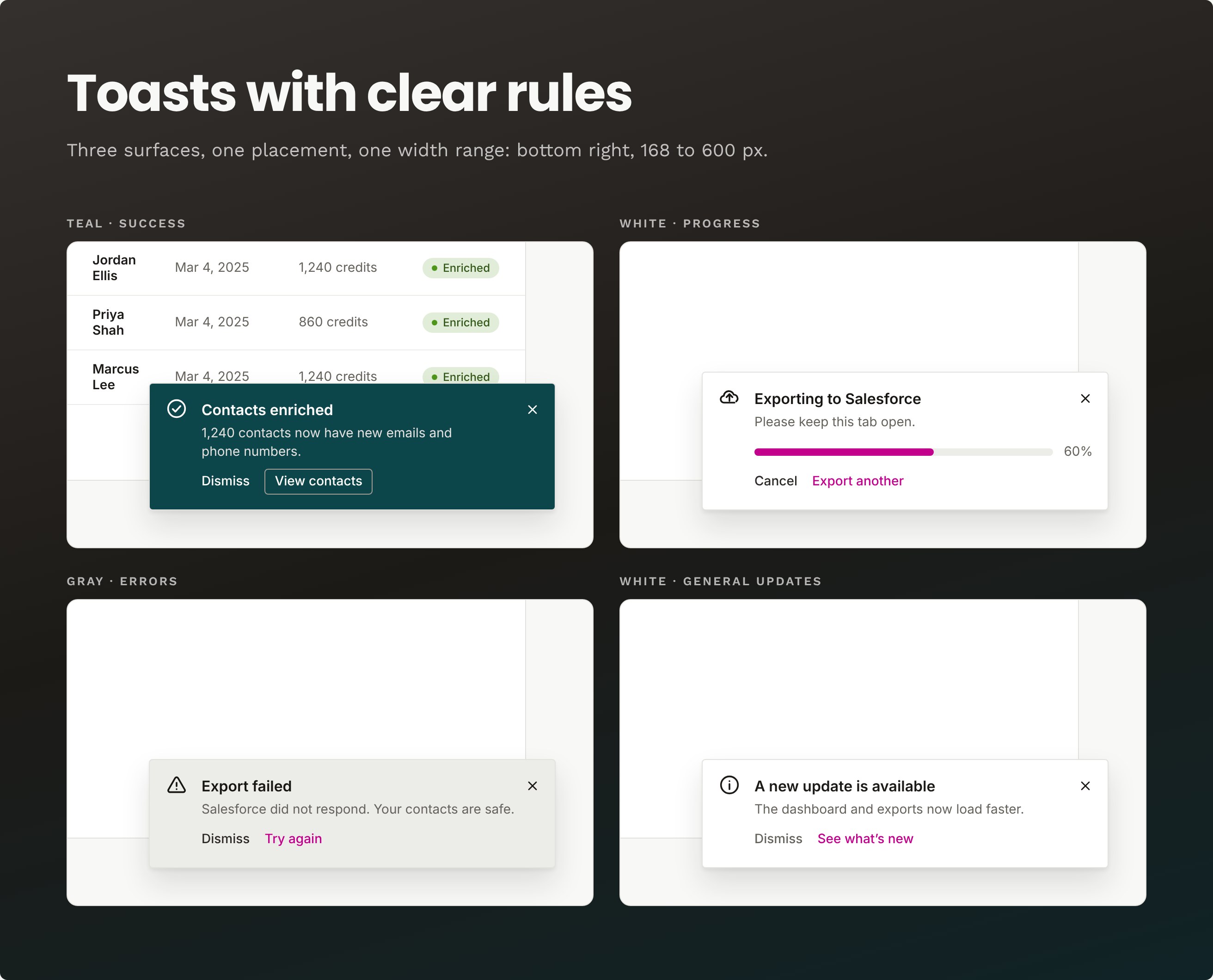
Brand 3.0 toast notifications: teal for success, white for progress and general updates, gray for errors
Specs

Every state, spelled out for engineering

Every component gets a spec sheet showing each size and state side by side.
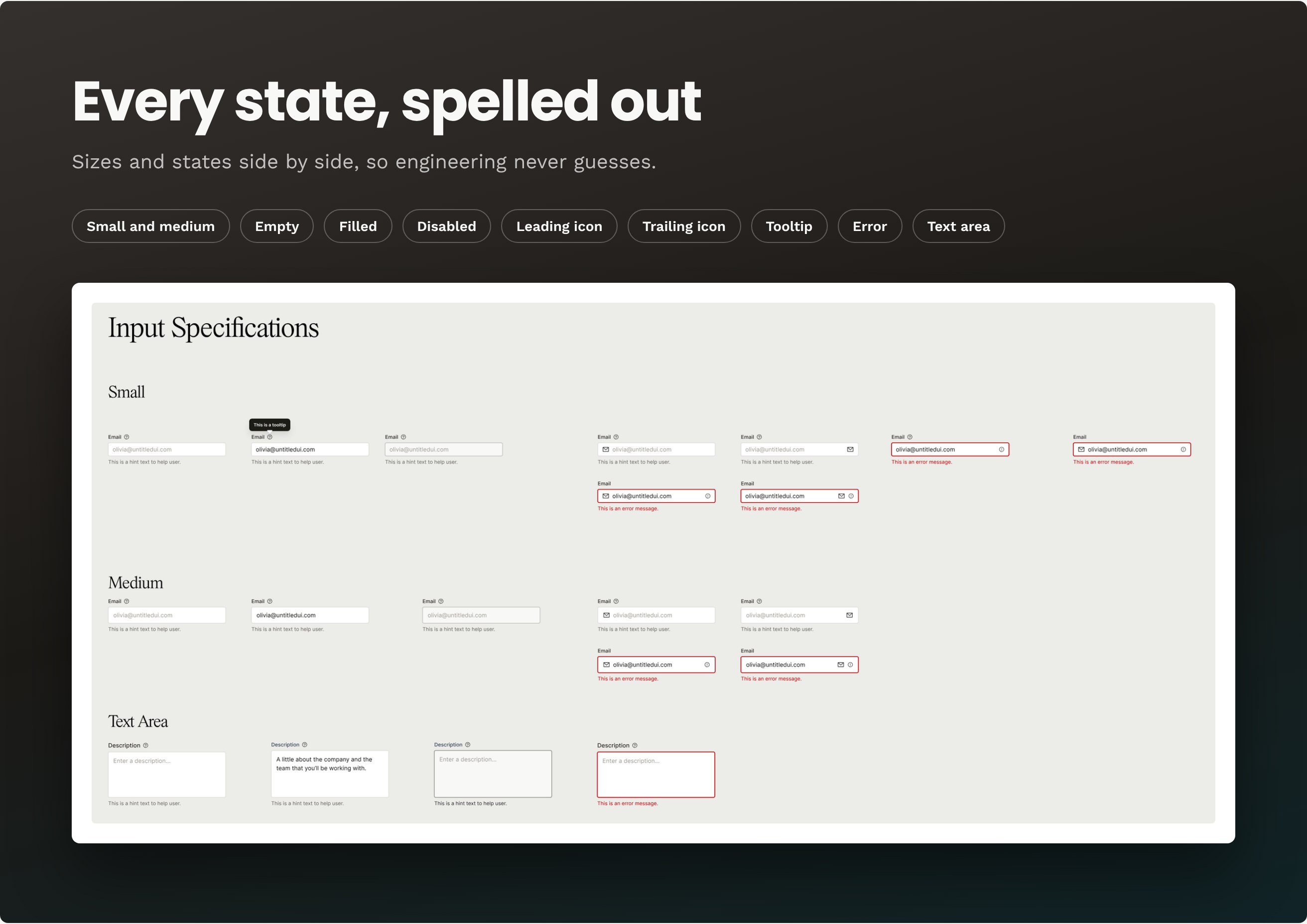
Input spec sheet showing small and medium inputs in empty, filled, disabled, icon, tooltip and error states
Governance

One path from idea to dev

Work starts in a dated workspace, moves to Ready for Dev once approved, and reusable patterns join the style guide. Shared status labels show what is safe to build.
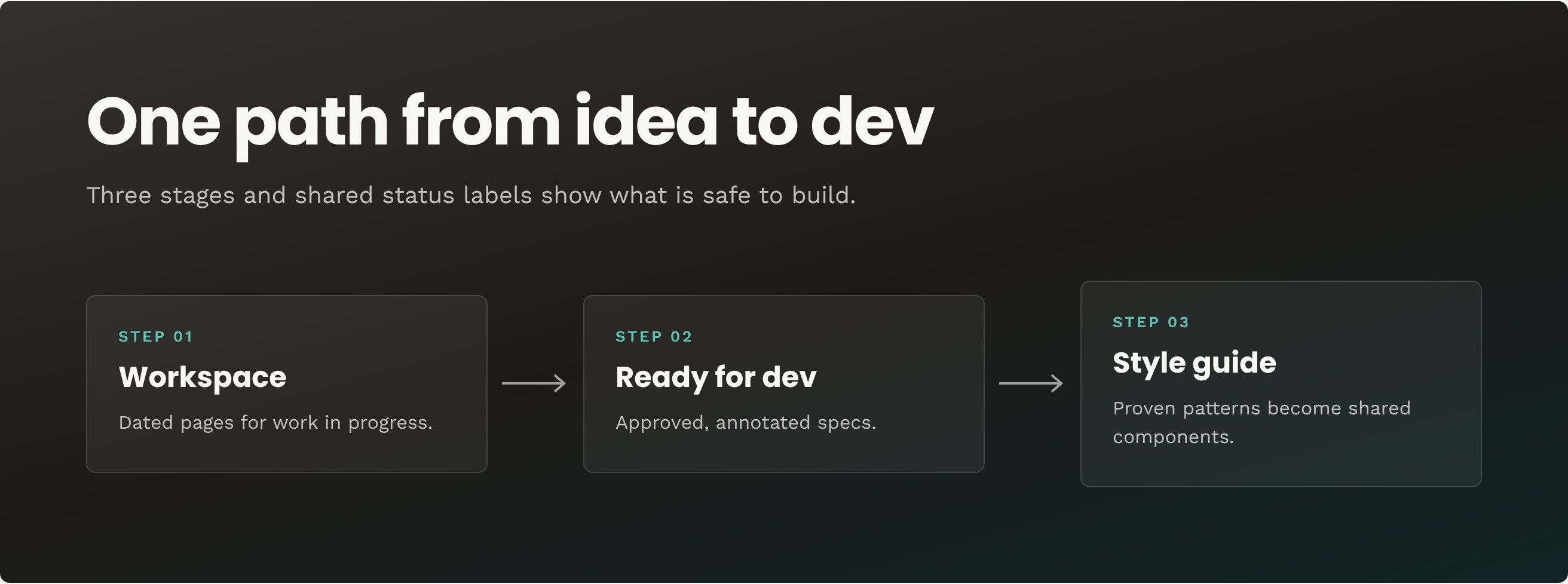
Governance flow from workspace to ready for dev to style guide, with shared project status labels
Speed

Faster for design and dev

AI workflows in Claude, Claude Code, ChatGPT, Gemini, and Lovable cut prototyping time by 50%.

With documented components and specs, developers now build components on their own, without waiting on design for approval. Both teams get time back.

Outcome

A system the teams build on

One shared system, faster prototypes, and developers who no longer wait on design.

One system across four product teams
Prototyping 50% faster with AI
Developers build components without waiting on design
Next project

Wistia Live: Webinar platform

View case study →

Let's talk about your design team.

Hiring for a design leadership role, or want to compare notes on design systems and AI in design teams?

Thank you! Your submission has been received!
Oops! Something went wrong while submitting the form.